
Resetting AWS Account
Resetting the AWS account recreates project infrastructure in a new account, migrates required source data, and reconnects deployment pipelines and DNS.
Runbook Steps
Section titled “Runbook Steps”- Run Part 1 of the SQL Script (code below) to save all source data from the database, including:
bronzeSchema Tables- ML Tables in
silverandgoldSchemas publicSchema Tables
- NOTE the dbt tables can always be refreshed as long as the source data is extracted, so those aren’t pulled here
- Run
terraform destroyto delete infrastructure in the current AWS Account - Run
aws-nuke -c aws_nuke.yml --no-dry-runto delete all non-Terraform resources in the current AWS Account- Ensure all S3 Buckets are deleted before proceeding to the next step
- Either run
aws s3 rm s3://example-bucket --recursiveto remove all bucket contents, or manually pressEmptyon each bucket.
- Either run
- Ensure all S3 Buckets are deleted before proceeding to the next step
- Create new
example@gmail.comemail - Create a new AWS Account with a new email
- Add Root MFA onto new AWS Account
- Go to
Accountand enable IAM Policy for Billing Access - Create sign-in IAM User and grant it
AdministratorAccessandBillingIAM Policies - Add MFA onto sign-in user
- Create Access / Secret Keys for sign-in user
- Create
terraform-userand grantAdministratorAccessPolicy - Create Access / Secret Keys for Terraform User
- Update Keys in Terraform Repo & Terraform Cloud
- Run
terraform applyto build all infrastructure in New Account (1st run)- NOTE This will likely fail on ECS Services as the Docker Images are missing. They’ll be added later
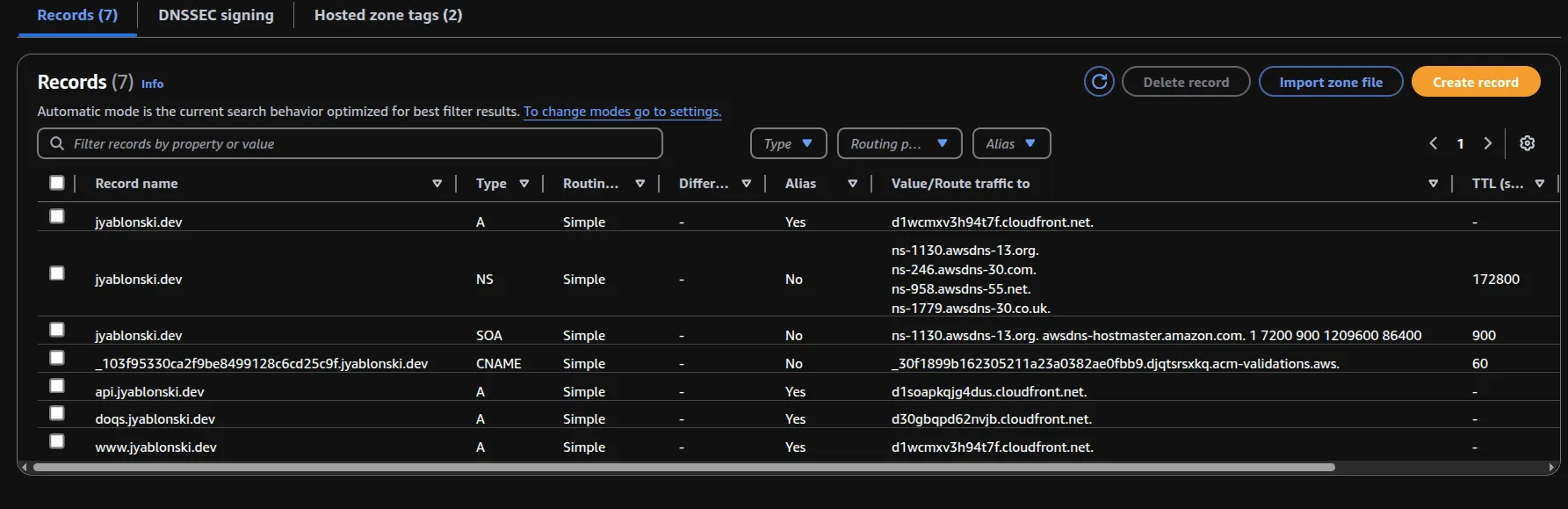
- Go to Squarespace, open DNS -> Domain Nameservers, and update them based on the
NSvalues in the Route 53 Hosted Zone -
- Add
jyablonski9@gmail.comEmail Verified Identity in SES manually & accept email in inbox afterwards - Run Liquibase Migrations to build source tables
- Run Part 2 of the SQL Script (code below) to store all source data into the new RDS Database
- Update
IAM ROLEGitHub Actions Secret on the following Repositories: - Run all CI / CD Pipelines to build and push the Docker images for each service to ECR
- Run
terraform applyto build any remaining infrastructure in New Account (2nd run) - Profit
SQL Script Code
Section titled “SQL Script Code”SQL Save & Reload Script
from datetime import datetimeimport os
from jyablonski_common_modules.sql import create_sql_engineimport pandas as pd
engine = create_sql_engine(    database=os.environ.get("RDS_DB"),    schema="bronze",    user=os.environ.get("RDS_USER"),    password=os.environ.get("RDS_PW"),    host=os.environ.get("IP"),    port=17841,)
ml_models_tables = ["ml_game_predictions"]
nba_prod_tables = [    "feature_flags",    "feature_flags_audit",    "incidents",    "incidents_audit",    "rest_api_users",    "rest_api_users_audit",    "user_predictions",    "user_predictions_audit",]
bronze_tables = [    "player_attributes",    "play_in_details",    "boxscores",    "internal_player_attributes",    "reddit_posts",    "reddit_comments",    "bbref_player_contracts",    "bbref_league_transactions",    "bbref_player_stats_snapshot",    "bbref_team_opponent_shooting_stats",    "bbref_team_preseason_odds",    "bbref_player_pbp",    "internal_league_inactive_dates",    "twitter_tweets",    "twitter_tweepy_legacy",    "bbref_player_boxscores",    "bbref_team_adv_stats_snapshot",    "aws_twitter_tweets_source",    "internal_team_top_players",    "internal_team_attributes",    "draftkings_game_odds",    "bbref_player_shooting_stats",    "bbref_player_injuries",    "bbref_league_schedule",    "staging_seed_player_attributes",    "staging_seed_team_attributes",    "staging_seed_top_players",]
public_tables = [    "rest_api_users",    "user_predictions",]

def store_sql_table(connection, table: str, schema: str):    todays_date = datetime.now().date()    year = todays_date.year    output_dir = f"tables/{year}/{schema}"    output_path = f"{output_dir}/{table}-{todays_date}.parquet"
    try:        df = pd.read_sql(f"SELECT * FROM {schema}.{table};", con=connection)        print(f"Queried {len(df)} records from {schema}.{table}")
        # Create directory if it doesn't exist        os.makedirs(output_dir, exist_ok=True)
        df.to_parquet(output_path)        print(f"Wrote {schema}.{table} to {output_path}")
    except BaseException as e:        print(f"Error occurred while reading {schema}.{table}: {e}")        raise

with engine.connect() as connection:    for table in ml_model_tables:        store_sql_table(connection=connection, table=table, schema="gold")
    for table in gold_tables:        store_sql_table(connection=connection, table=table, schema="gold")
    for table in bronze_tables:        store_sql_table(connection=connection, table=table, schema="bronze")